Enhanced Photo Placement on Graphic Templates

Designing a photo book or calendar in the Antigro Designer Photobook Customizer is much more than “drag and drop.” Customers expect quick results, but at the same time they want control over how the pages look. That’s why in Antigro Designer the placement of photos within layouts has been optimized to both speed up the creation process as much as possible and still give users the ability to choose key photo book parameters – such as the number of pages, the number of photos per page, and the overall style of the design.
New auto-layout workflow for blank templates
Step 1 – What does the customer do before auto-layout to make the project perfect for them?
- Uploads photos
- Chooses the preferred number of pages (for example: 28, 40, 60 – depending on the product)
- Chooses the preferred photo size: (small / medium / large)
- Chooses the preferred photo order (the customer can choose from: random; upload order-newest first; upload order-oldest first; date taken-newest first; date taken-oldest first)
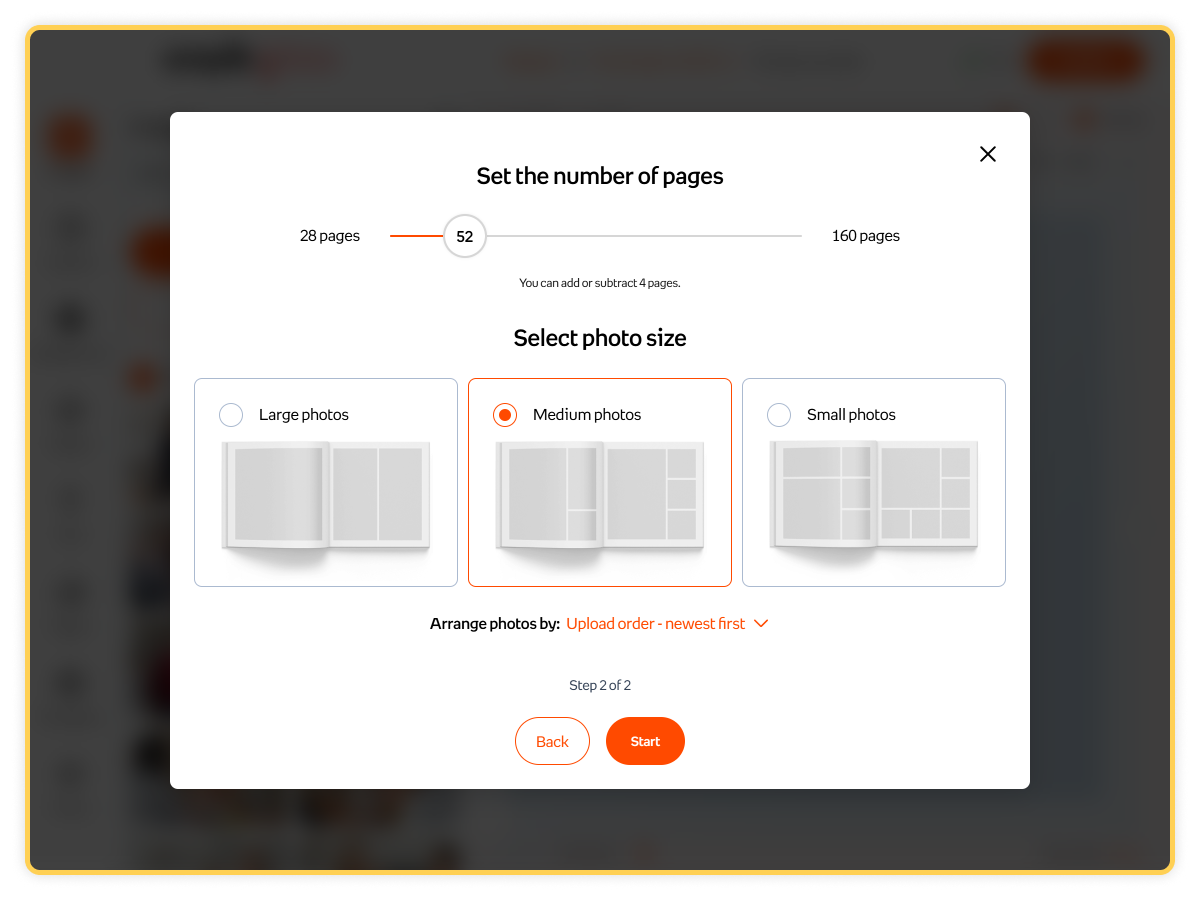
Step 2 – What does the Antigro Designer Print Customizer do?
The Photobook Customizer adjusts the layouts on individual pages to match the selected preferences.
- If the customer chooses large photos, the editor will more often select layouts with 1-2 photos per page and larger crops.
- If the customer chooses small photos, multi-photo layouts (for example 4-8 per page) will appear more frequently.
Important: This mode works only on blank templates – templates where the pages do not already include decorative elements or illustrations that would force a specific layout.
Previously, auto-layout worked the same way everywhere: the user simply selected an option like “auto generate / fill on all pages,” and the system populated the template with photos without any additional preferences regarding the number of pages or photo size.
The new model for blank templates provides more control and a better match to customer expectations, while still preserving the logic of graphic templates – where the “style” is an integral part of the ready-made layout.
Auto-layout on Graphic Templates - No Layout Editing
In graphic templates (with ready-made backgrounds, illustrations, decorative frames, and a consistent style across pages), auto-layout works the same way as before:
- The editor fills photos into the prepared placeholders.
- It does not change the page structure (it does not rebuild layouts or redesign the composition).
- It preserves the template’s styling and composition.
This option is ideal for customers who want a ready-made “styled” result (for example, wedding, kids, or travel themes) and care about the project looking exactly like the template examples shown.
Request a demo to transform your printing business
Join the printing revolution trusted by hundreds of companies worldwide.